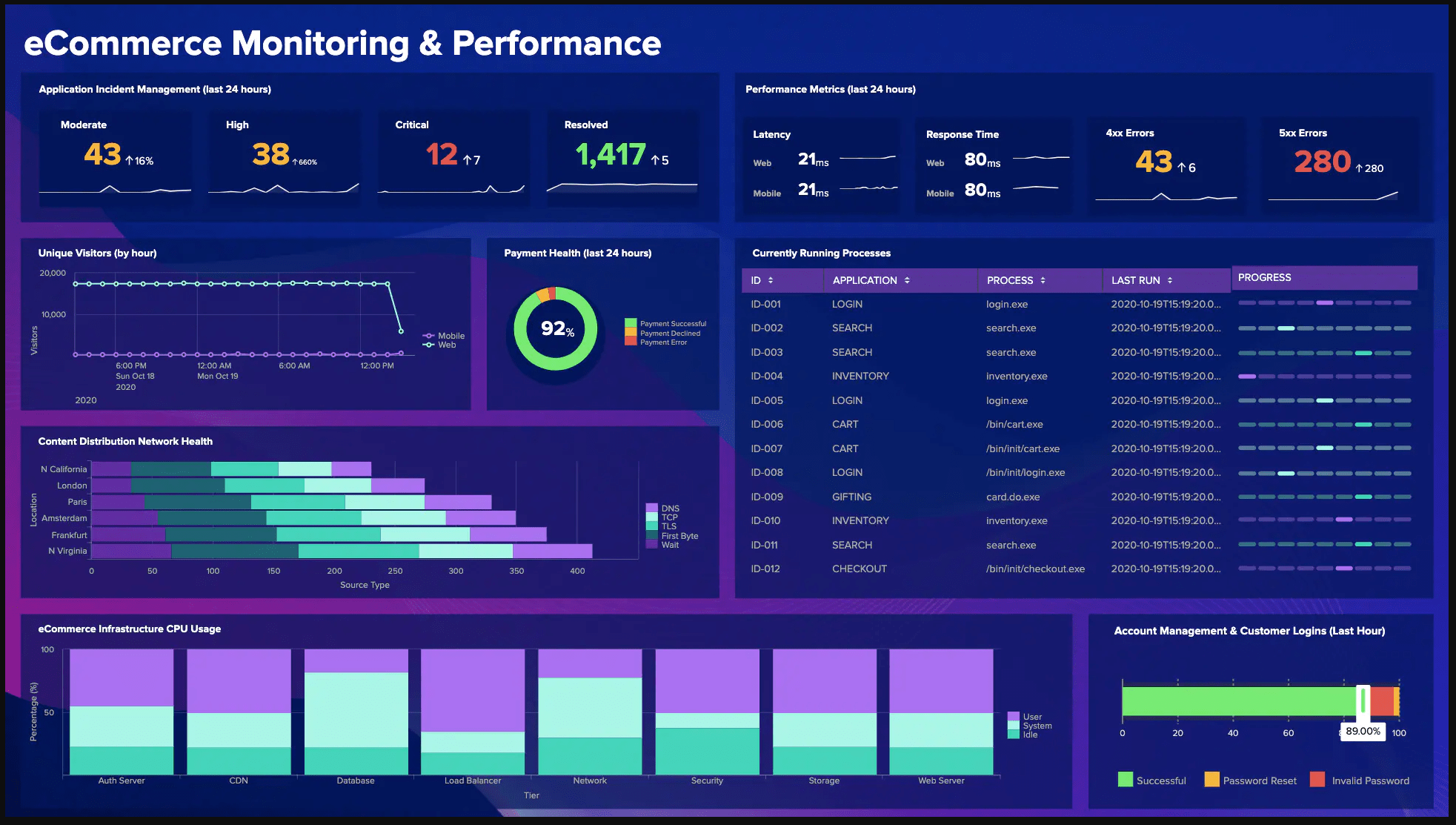
Data visualization is one of the keys to finding hidden opportunities within your data. But spreadsheets are only part of the story, what if you need to have charts and graphs that react to real time data to give insights like the big companies do?
A quick Google search will show you it is a thriving industry and the more robust and visually pleasing the more money you will have to shell out. And with cloud computing becoming all the rage, you now rarely even own your software these days.
So what to do?
Step in the Quasar Framework, Quasar is the number one solution based on Vue.js whether you’re only building a desktop website, a desktop app or a mobile app, or all of them!
Quasar (pronounced /ˈkweɪ.zɑɹ/) is an MIT licensed open-source Vue.js based framework, which allows you as a web developer to quickly create responsive websites/apps in many flavours:
- SPAs (Single Page App)
- SSR (Server-side Rendered App) (+ optional PWA client takeover)
- PWAs (Progressive Web App)
- Mobile Apps (Android, iOS, …) through Cordova or Capacitor
- Multi-platform Desktop Apps (using Electron)
Quasar’s motto is: write code once and simultaneously deploy it as a website, a Mobile App and/or an Electron App. Yes, one codebase for all of them, helping you develop an app in record time by using a state of the art CLI and backed by best-practice, blazing fast Quasar web components.
Sounds too good to be true, well it is, so there(lol). Now you have a platform to get up to speed and all that is left to do is get a graphing and charting library, we will use Charts.Js and also a package to make using it in Vue components super easy. This is called VueCharts.js.
Now for most SMB’s we also want to keep cost down to a minimum and focus our budgets on development. So we will use Google Firebase Hosting and Functions.
Firebase is a serverless suite of products that lets you build more powerful, secure and scalable apps, using world-class infrastructure of the Google Cloud Platform. No hardware to manage and flexible pricing plans means you may even get it for free if only a few people use your app internally. Firebase charges on usage but has a free tier that is pretty gracious with their limits.
Firebase hosting with tools made specifically for modern web apps. When you upload your web assets, they automatically push them out to a global CDN and get a free SSL certificate so your users get a secure, reliable, low-latency experience, no matter where they are. Even custom domains can be used.
Firebase Cloud Functions can extend your app with custom backend code without needing to manage and scale your own servers. Functions can be triggered by events, which are emitted by Firebase products, Google Cloud services, or third parties, using webhooks. We are going to tie-in our front end from hosting to functions. Firebase Cloud Functions will be our REST API to interface with our data, whatever it is. Here is an example of a GEO Location Function.
const functions = require('firebase-functions')
// Google Maps GeoCoder Call
const googleMapsKey = functions.config().googlemapsapi.key
const googleMapsClient = require('@google/maps').createClient({
        key: googleMapsKey,
        Promise: Promise
    })
exports.setLocation = functions.https.onCall((data, context) => {
    // Checking that the user is authenticated.
    if (!context.auth) {
        throw new functions.https.HttpsError('failed-precondition', 'The function must be called ' + 'while authenticated.')
    }
    // Authentication Passed / user information is automatically added to the request.
    const uid = context.auth.uid
    const name = context.auth.token.name || null
    const location = data.location || '1600 Amphitheatre Parkway, Mountain View, CA'
    return googleMapsClient.geocode({
            address: location
        })
        .asPromise()
        .then((response) => {
            return {
                res: response.json.results,
                uid: uid,
                name: name,
                data: data
            }
        })
        .catch((err) => {
            throw new functions.https.HttpsError('unknown', err.message, error);
        })
})
Creating functions that are triggered by Firebase products, such as changes to data in realtime, are now stored as our logic. Need a new function, create one! Each function created can be called from your dashboard app, thus making it modular. As your app grows you will see how easy it is to maintain with this set up.
Now putting it all together, the fun part.
Sign up for a Firebase account here: Firebase Account
Set up a Project and follow this documentation: Getting Started with Firebase
Follow this to get set up with Quasar, use the CLI: Get Started with Quasar Framework
If using VS Code review this: Set Up VS Code for Quasar
Install vue-chartjs and follow the Vue Single File Component Getting Started
Quasar can easily serve a local web server, so once all set up you should have a local project with access to your Firebase Functions and a Frontend Vue.js SPA.
The goal is to write out all of your Firebase Cloud Functions, this will be stuff like accessing a CRM, Sales Revenue, etc… Each function is an endpoint that when triggered via HTTP Calls, will return data to your app.
On the front side SPA, we now build Vue SFC (single file components) to store our tables, lists, charts and graphs or whatever data is needed to display. For example BarChart.vue can load any data and render it as a BarChart, thus taking full advantage of reusable components. Now you can take this as far as you need to, including stuff like Vuex, etc… but that starts to get into the weeds for this session and will be explored in another article.
So there you have it, a system once set up will only need new data sources added to the functions of the app and reusing patterns will make adding even more chart options a breeze. Because everything is separated, one can easily update or change component libraries without affecting the core logic of the cloud functions. I’ve even used functions to access WordPress APi’s for a headless WP Vue App, that is for another day.
This Project is on GitHub
Click Here to View